Elevate Your Vehicle with Sacred Arabic Calligraphy
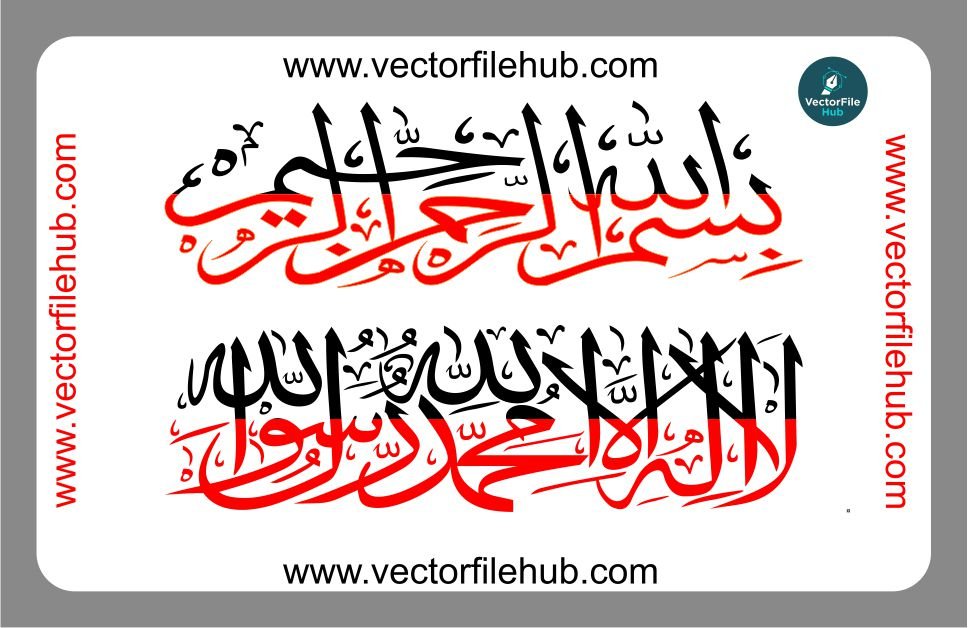
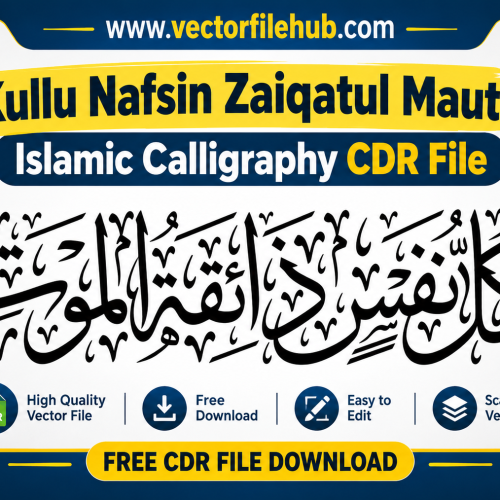
Personalizing your vehicle is about more than just aesthetics; it is about reflecting your values and seeking blessings on the road. High-quality Arabic calligraphy stickers, specifically the Bismillah and Kalma Tayyaba, are among the most popular choices for car and bike modifications. Whether you are looking to adorn your rear windshield or enhance a fuel tank, these designs offer a blend of spiritual significance and artistic elegance.
At Vector File Hub, we provide precision-engineered vector files designed specifically for vinyl cutting and plotter printing. This calligraphy set is crafted with smooth curves and clean lines to ensure a professional finish on any surface.
Key Features of This Vector Design
Infinite Scalability: High-resolution vector paths that never lose quality, no matter how large you scale them.
Fully Editable: Easily modify the stroke thickness or rearrange elements to fit your specific layout.
Production Ready: Optimized for plotters, laser cutters, and CNC machines with minimal nodes for a clean cut.
Versatile Application: Perfect for cars, motorcycles, laptops, or wall decals.
Technical Specifications
File Format: .CDR (CorelDraw)
Compatibility: CorelDraw X3 or higher, Adobe Illustrator, and Inkscape.
License: Free for personal and commercial use (Copyright-free).
Design Style: Traditional Thuluth/Kufic inspired calligraphy.
Quick User Guide
Download and Open: Extract the file and open the .CDR file in your preferred vector software.
Resize: Select the design and input your desired dimensions based on the application area (e.g., 12 inches for a rear window).
Color Selection: Adjust the color palette to match your vinyl sheet (White or Silver is recommended for glass).
Cut: Send the file to your cutting plotter and apply it to a clean, dry surface.
Download CDR File

Pingback: Free Download: Tecno Pova Back Skin Vector CDR File | Ready-to-Cut Design - Copy - vectorfilehub