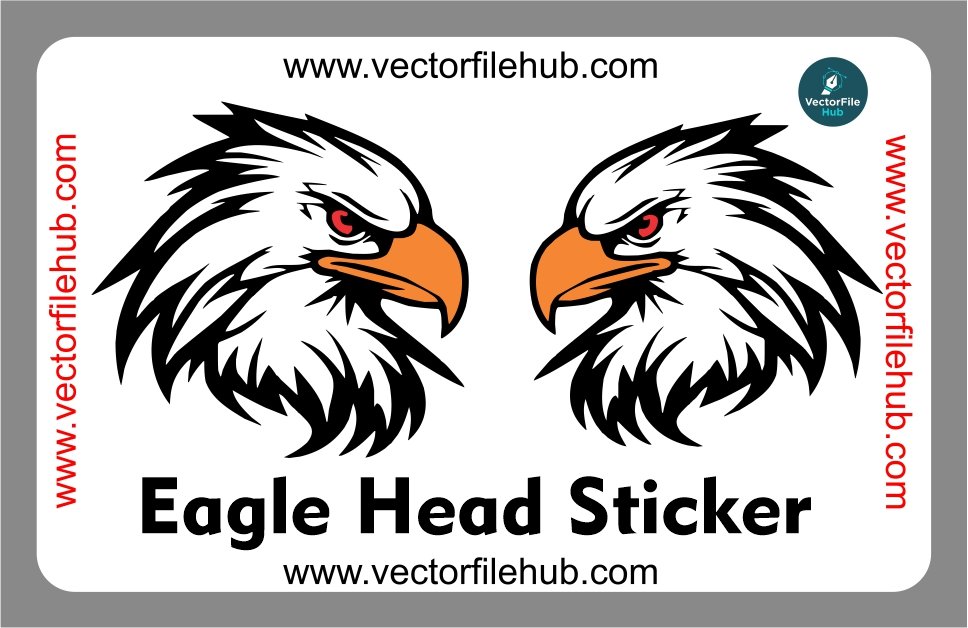
Looking to give your vehicle a bold, aggressive, and premium look? This fierce Eagle Head sticker vector file is the perfect design asset for your next customization project. Whether you own a motorcycle, a car, or a heavy bike, an eagle design symbolizes power, freedom, and speed. Adding an eagle graphics overlay to your vehicle instantly enhances its visual appeal and makes it stand out on the road.
At Vector File Hub, we provide high-quality graphic assets tailored for vinyl cutting, plotters, digital printing, and laser engraving. This layout has been precisely crafted to fit seamlessly on bike fuel tanks, side covers, car bonnets, side doors, or helmet visors.
Key Features of the Design
100% Vector Layout: Scalable to any limit without any pixelation or loss in image sharpness.
Fully Editable Paths: Modify anchor points, alter curves, or adjust line weights to fit your specific vehicle model perfectly.
Customizable Colors: Change the fill shades, outlines, and gradients in seconds to match your vehicle’s base paint.
Production-Ready Artwork: Clean closed loops and optimized paths make it directly compatible with vinyl cutting plotters (like Roland, GCC, or Mimaki).
Technical Specifications
File Format: CorelDraw (.CDR) Native Format
Software Compatibility: CorelDraw X7, 2019, 2021, 2022, and newer versions
Design Type: Silhouette / Clean Line Art Geometry
License: Free for Personal & Commercial Use (No Attribution Required, resale of digital files is prohibited)
Step-by-Step User Guide
Download and Open: Click our fast download link below to fetch the compressed folder. Extract the file and open the native .cdr file in CorelDraw.
Measure Your Vehicle: Use a measuring tape to find the exact dimensions of the surface area on your car or bike where the decal will be applied.
Scale the Graphics: Select the entire vector group in CorelDraw and adjust the width and height values while keeping the aspect ratio locked to avoid distortion.
Color Adjustments: Adjust the fill color according to the vinyl sheet you plan to use (e.g., gloss black, metallic silver, or neon yellow).
Send to Plotter: Export or send the design directly to your vinyl cutting software (like Artcut or FlexiSIGN) and start cutting.
Download CDR File

Pingback: Bismillah Calligraphy Sticker CDR Vector File – Free Download for Car & Bike - vectorfilehub
Pingback: Itachi Uchiha Anime Bike Chain Cover Sticker Vector Design | Free CDR File Download - vectorfilehub
Pingback: Half Skull with Headphones CDR Vector File: Free Download for Vinyl Cutting - vectorfilehub