Introduction
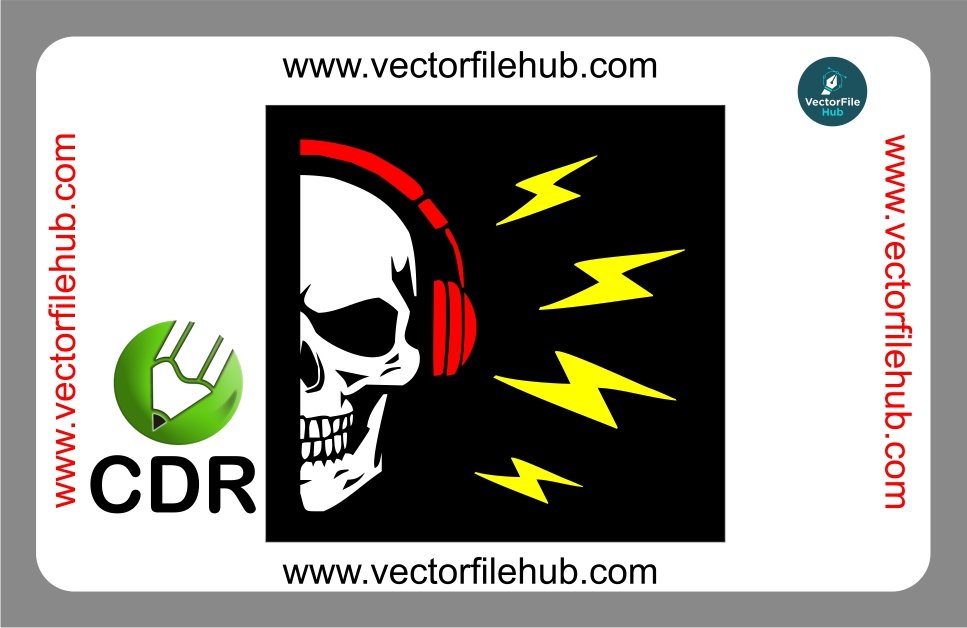
Elevate your vehicle’s aesthetic with our premium Half Skull with Headphones CDR Vector File. Whether you are a professional vehicle wrapper or a DIY enthusiast looking to personalize your bike’s fuel tank or car window, this iconic “DJ Skull” design is a perfect choice. Combining the edgy look of a skeletal motif with the modern vibe of music and lightning bolts, this sticker design is a top-trending asset in the automotive modification industry.
Why Choose This Vector Design?
Using high-quality vector art is essential for precision vinyl cutting. This design is meticulously crafted to ensure clean lines and smooth curves, preventing jagged edges during the plotting process. It is ideal for bike stickers, helmet decals, and mobile device skins.
Key Features
High-Resolution Output: Scalable to any size without losing detail or clarity.
Ready-to-Cut: Optimized specifically for vinyl plotters and laser cutters.
Fully Editable: Change colors, strokes, or add custom text in CorelDraw.
Symmetry & Precision: Perfectly balanced design for professional-grade application.
Technical Specifications
File Format: .CDR (CorelDraw)
Compatibility: CorelDraw X3 or higher, Adobe Illustrator, Inkscape.
Vector Type: CMYK Color Mode (Ready for printing and cutting).
License: Free for personal and commercial use (Copyright-free).
User Guide: How to Use the File
Download & Extract: Download the .CDR file from the link below.
Open in CorelDraw: Import the file into your workspace.
Resize: Select the entire object and adjust dimensions based on your target surface (e.g., fuel tank or laptop lid).
Send to Plotter: Ensure your cutting software recognizes the hairline outlines for a perfect cut.
Download CDR File