Tree and Rose Laser Cut CDR File Free Download
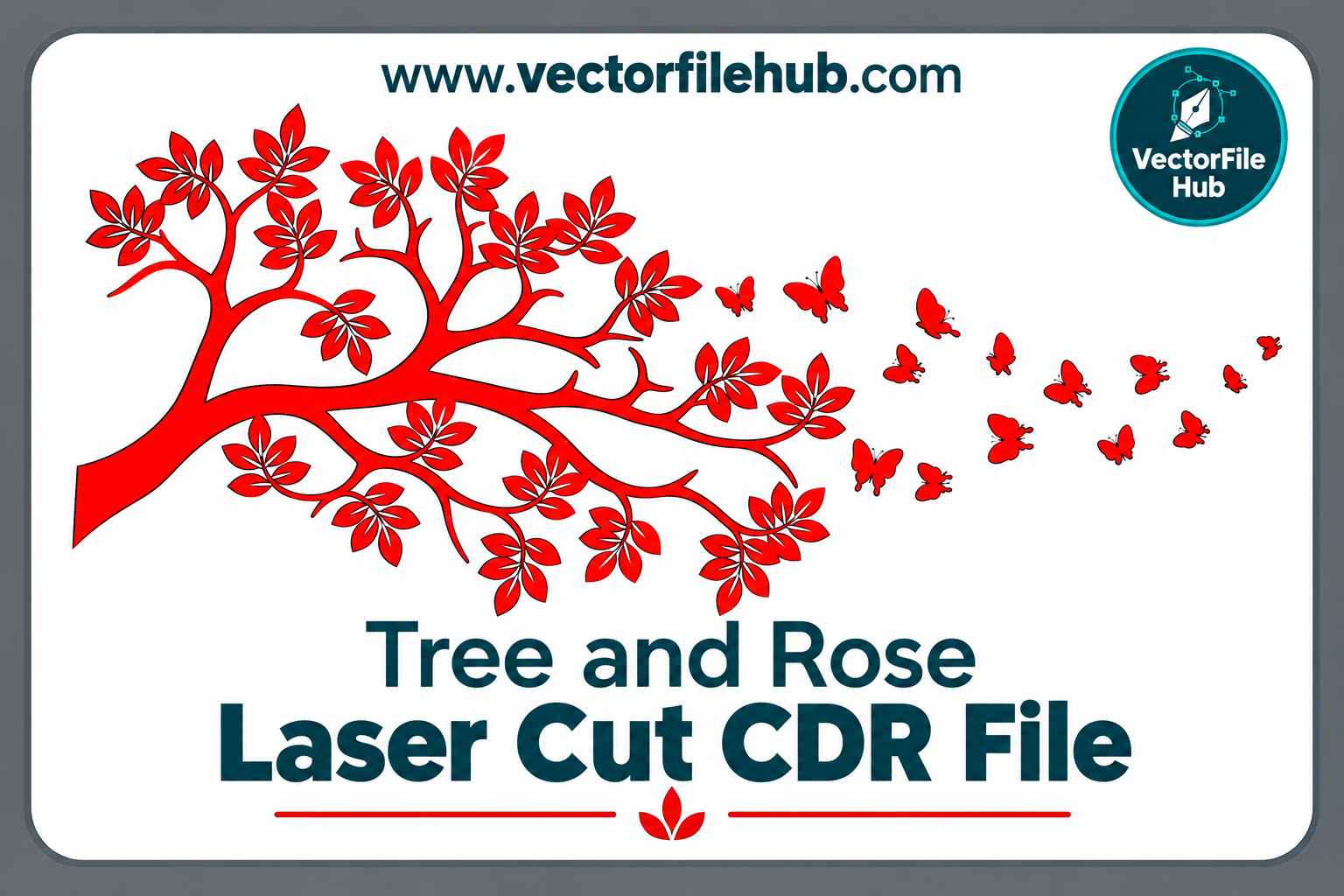
Are you looking for a fresh, elegant design for your next laser cutting project? Today we are sharing a Tree and Rose Laser Cut CDR file that you can download for free. It combines the strong, natural look of a tree with the soft beauty of a rose, making it a great fit for decorative panels, wall art, gifts and more.
If you work with CNC routers, laser cutters or plasma machines, you already know how hard it is to find clean, cut-ready vector files. This design is made with smooth curves and closed paths so it is easy to use on your machine.
About This Tree and Rose Design
The tree is the main part of the artwork, with flowing branches that spread outward in a balanced shape. Roses are placed along the branches, adding detail and a romantic touch. Together they make a design that works for both traditional and modern spaces.
Because the artwork has fine detail and clear negative space, it looks great as a backlit panel, a wall hanging, or a layered piece. Leaving the roses as cut-out parts also lets you add colour or a contrasting backing layer.
File Details
- File name: Tree and Rose Laser Cut Design
- File format: CDR (CorelDraw), editable vector
- Compatibility: CorelDraw X7 and newer (also exportable to DXF, AI, SVG and EPS)
- Best for: Laser cutting, CNC routing, engraving, plasma cutting, vinyl and sticker cutting
- Cost: Free download
Where Can You Use This Design?
This file is flexible and can be used for many products:
- Wall decor panels for living rooms, bedrooms and offices
- Room dividers and jali screens for a stylish partition
- Gift items such as nameplates, photo frames and keepsake boxes
- Lamp shades and night lights that cast beautiful shadows
- Gate and window grill inspiration after resizing
- Wedding and event decoration such as backdrops and table pieces
Business owners can use it to expand their catalog and offer customers something different from the usual patterns.
Recommended Materials
The design cuts well on many materials. Choose based on your machine and your budget:
- MDF (3mm to 6mm): affordable, smooth and easy to paint
- Plywood: natural wood grain gives a premium look
- Acrylic: works well for clear, coloured or mirrored finishes
- Metal sheet (with plasma or fibre laser): durable for outdoor use
- Cardstock and foam sheet: good for crafts and prototypes
For thin materials like 3mm MDF, keep the design size moderate so the thin branches do not break while handling. For larger panels, use thicker board.
How to Download and Use the File
- Click the download button below the post.
- Save the file and extract it if it comes in a ZIP or RAR archive.
- Open the CDR file in CorelDraw.
- Check the size and scale it to your material. Hold the Shift key while resizing to keep the proportions.
- Make sure all the paths are closed, and remove any duplicate lines before cutting.
- Export in DXF or the format your machine software needs.
- Run a small test cut to adjust speed and power, then cut the final piece.
Download Link
Tips for the Best Results
Test your settings first. Every machine and material behaves differently, so a small test cut saves time and material.
Check the line thickness. Set outlines to hairline if your machine software expects it for cutting.
Mind the thin parts. If you resize the design smaller, thin branches may become too delicate. Increase the line weight slightly or use a stronger material.
Finish properly. Sand the edges, then use paint, varnish or wood stain. A gold or black finish on the tree with red roses looks especially attractive.
Add LED lighting. Placing the cut panel over an LED strip gives a glowing effect that customers love.
Why Choose Vector CDR Files?
CDR files are vector based, so you can enlarge them to any size without losing quality. You can edit nodes, change shapes, combine designs and prepare the file for your specific machine. This makes CDR one of the most popular formats among CNC and laser cutting professionals.
Frequently Asked Questions
Is this file really free?
Yes, you can download the Tree and Rose Laser Cut CDR file at no cost.
Can I open it in software other than CorelDraw?
CDR opens best in CorelDraw. Other programs may need the file converted to DXF, SVG or AI first.
Can I use it commercially?
You can use the design for making and selling physical products. Please do not resell or re-upload the file itself as your own.
What if the file does not open?
Make sure you have a compatible version of CorelDraw. If the problem continues, leave a comment below and we will help.
Conclusion
The Tree and Rose Laser Cut CDR file is a graceful and practical design for anyone who works with laser cutting, CNC or engraving. Its clean vector lines make it quick to prepare, and its natural theme suits many kinds of products. Download it now, try it on your machine, and share your finished work in the comments.
For more free CDR, DXF and vector designs, keep visiting our website and check back for new files every day.