Introduction
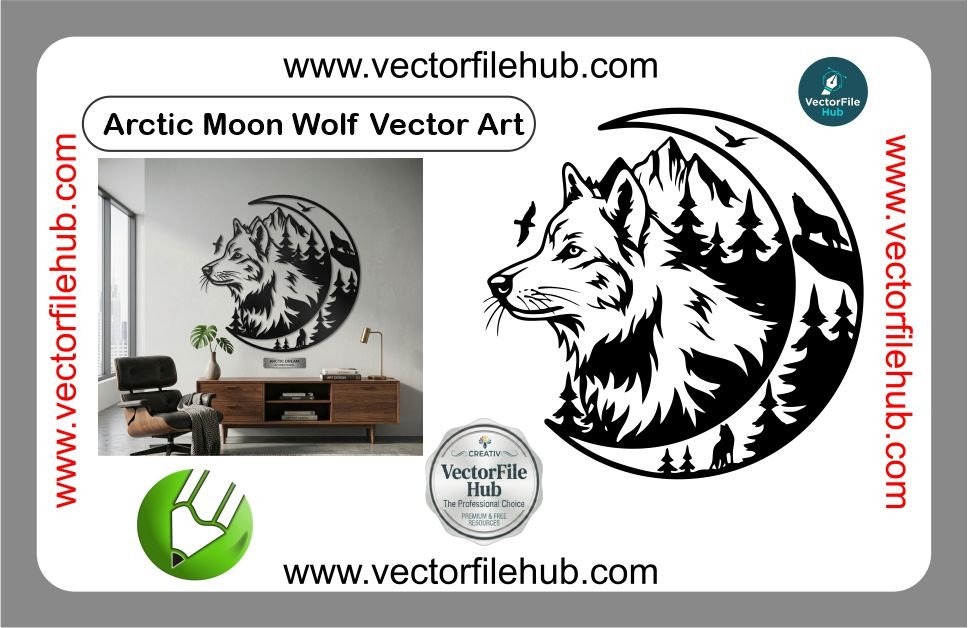
Elevate your vehicle’s aesthetic with the mesmerizing Arctic Moon Wolf vector art. Whether you are looking to customize a car hood, a bike fuel tank, or create a unique mobile skin, this design captures the raw power and mystical beauty of a wolf howling under a frozen moon. In the world of vehicle modification, high-quality silhouette art is essential for achieving a professional finish, and this Arctic Moon Wolf design is crafted specifically to stand out on any surface.
Key Features of the Design
Arctic Moon Wolf Vector Art Free Download | High-Quality CDR File for Vinyl Cutting
This vector file is engineered for precision and ease of use, ensuring that your final print or cut looks sharp and professional.
100% Scalable: High-resolution vector format allows you to resize the art to any dimension without losing clarity.
Cut-Ready: Optimized paths and clean nodes make it perfect for vinyl plotters and laser cutting machines.
Fully Editable: Easily change colors, stroke thickness, or layout to suit your specific project needs.
Modern Aesthetic: A minimalist yet detailed style that complements both dark and light vehicle paint jobs.
Technical Specifications
File Format: .CDR (CorelDraw)
Compatibility: CorelDraw X7 and above, Adobe Illustrator, Inkscape.
Design Type: Silhouette / Vector Line Art
License: Free for personal and commercial use (Copyright-free).
User Guide: How to Use the File
Download & Extract: Download the .CDR file and open it in your preferred vector software.
Scale to Size: Measure your application area (e.g., your bike’s side panel) and adjust the dimensions in the software.
Set Your Colors: If you are using a vinyl plotter, ensure your cut lines are set to “Hairline” width.
Print/Cut: Send the file to your plotter or printer. For best results on vehicles, use high-grade outdoor vinyl.
Download CDR File