Trust No One Backlite Sticker Vector – Free CDR File Download for Car & Bike

Trust No One Backlite Sticker Vector – Free CDR File Download for Car & Bike


Discover a stunning collection of high-quality CorelDRAW vector designs  Use it Free Editable CorelDRAW 12 & above Vector Design High-quality CDR Vector Design Fully scalable and 100% editable

All design resources are the intellectual property of their respective owners Warning

Introduction

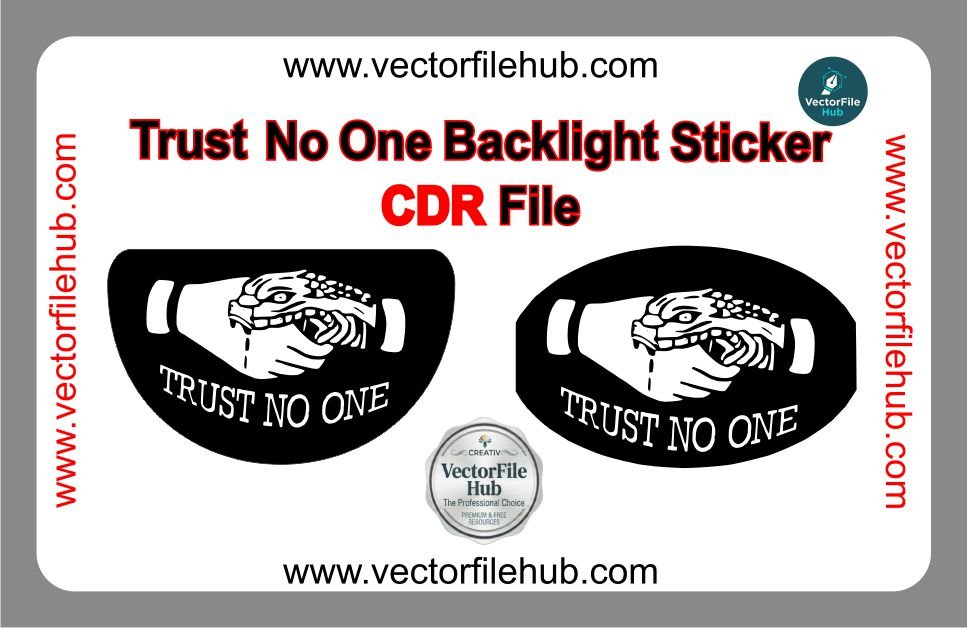
Elevate your vehicle’s aesthetic with the iconic “Trust No One” backlite sticker. Whether you are customizing a motorcycle or a car’s rear glass, this minimalist yet bold typography design is a favorite in the automotive modification community. This high-quality vector file is specifically crafted for enthusiasts who want a clean, professional finish for their backlight decals. By using a precision-cut vector, you ensure that the message stands out clearly, even in low-light conditions.

Trust No One Backlite Sticker Vector – Free CDR File Download for Car & Bike

Key Features

  • High-Resolution Vector: Sharp edges and smooth curves for a premium look.

  • Fully Editable: Easily modify the scale, stroke weight, or font style to suit your preference.

  • Cut-Ready Design: Optimized specifically for vinyl plotters and laser cutting machines.

  • Scalable Geometry: Resize from a small mobile skin to a large car windshield without any pixelation.

Technical Specifications

  • File Format: .CDR (CorelDraw)

  • Compatibility: CorelDraw X3 or higher, Adobe Illustrator, and Inkscape.

  • File Size: Lightweight and optimized for fast downloading.

  • License: Free for personal and commercial use (Copyright-free).

User Guide: How to Use

  1. Download & Extract: Click the download link to save the .CDR file to your computer.

  2. Open in Software: Import the file into CorelDraw or your preferred vector editing software.

  3. Resize: Select the design and input your required dimensions based on your vehicle’s surface area.

  4. Prepare for Cutting: Ensure the design is converted to “outlines” before sending it to your vinyl cutter.

  5. Application: Clean the glass surface thoroughly before applying the vinyl for maximum adhesion.

Download CDR File

Leave a Comment

Your email address will not be published. Required fields are marked *

Scroll to Top