Title: Deer in Forest Nature Landscape Vector | Free CDR File Download for Stickers
Slug: deer-forest-nature-landscape-vector-free-cdr-download
Introduction
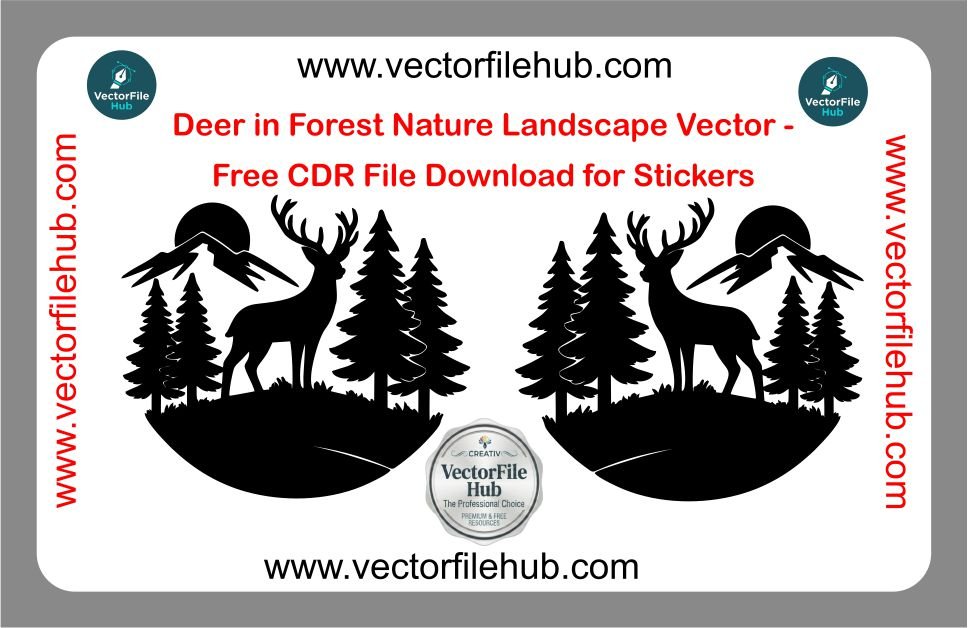
Elevate your vehicle’s aesthetic with the timeless beauty of the outdoors. Our Deer in Forest Nature Landscape Vector is a premium silhouette design specifically crafted for car and bike enthusiasts who appreciate nature-themed modifications. This intricate scene, featuring a majestic deer framed by pine trees and mountains, is perfect for large rear window decals, side-body graphics, or custom tank stickers. Transform your ride into a moving piece of wilderness art with this clean, professional-grade vector.
Mountain Deer Nature Silhouette Sticker Design | CDR Vector File
High-Quality Wild Deer & Forest Sticker Design for Car & Bike (CDR)
Nature Scenery Deer Vector Art – Free CDR Download for Vinyl Cutting
Key Features
High-Resolution Silhouette: Sharp, clean edges ensure flawless reproduction at any scale.
Ready-to-Cut: Pre-optimized paths for seamless use with vinyl plotters, Cricut, or laser engravers.
Fully Editable: Easily modify the landscape elements, trees, or the deer’s posture to suit your specific project.
Scalable Vector Graphics: Zero pixelation or quality loss, whether you are making a small helmet sticker or a full-size vehicle wrap.
Technical Specs
Format: CorelDraw (.CDR)
Compatibility: Compatible with CorelDraw X3, X7, 2020, and all newer versions.
License: Copyright-free for personal and commercial use.
File Size: Lightweight and optimized for fast downloading.
User Guide: How to Resize and Use
Open the File: Launch CorelDraw and import the downloaded .CDR file.
Scale to Fit: Use the “Pick Tool” to select the entire design. Enter your desired dimensions in the object size boxes on the top toolbar to match your car or bike’s surface area.
Color Setup: While black is standard for silhouettes, you can change the fill to white for dark glass or metallic silver for a premium look.
Send to Plotter: Ensure all lines are set to “Hairline” width before sending the design to your cutting software for the best vinyl results.
Download CDR File